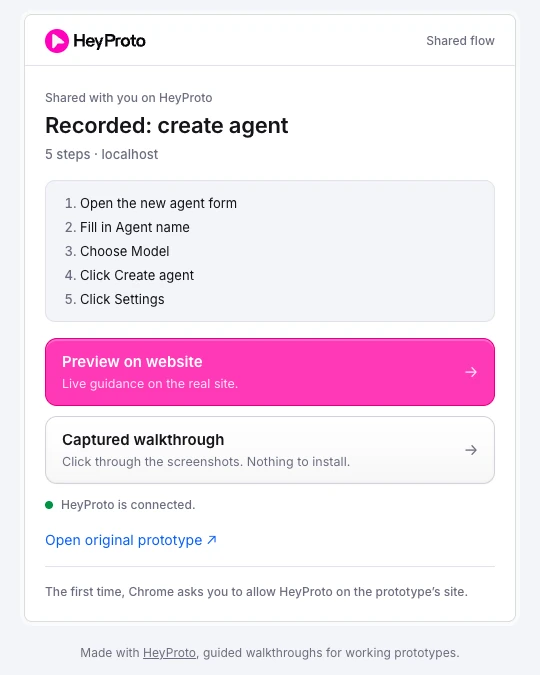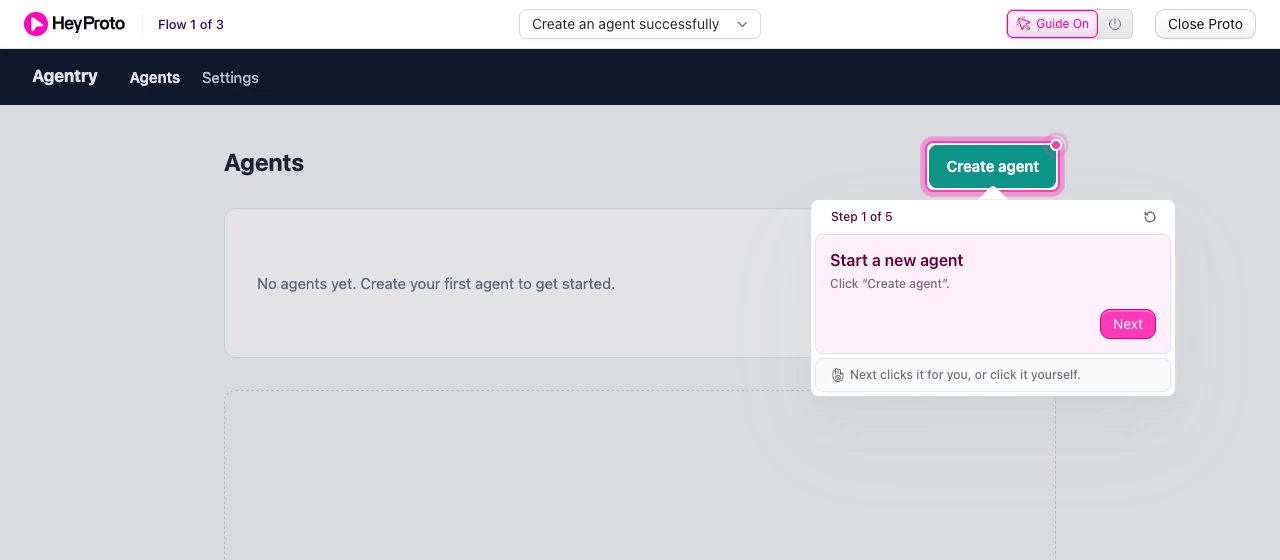
Quick answer
- Ask about one decision.
- Say what’s real and what’s out of scope.
- Give people a starting point.
- Send a short review brief.
- Ask about moments, not impressions.
- Don’t treat a guided review as a usability test.
- Group replies around the decision, and close the loop.
You send a prototype. Someone replies, “Looks good!”
It’s encouraging. It’s also very hard to turn into a design decision.
Did they reach the new feature? Are they agreeing with the interaction, the visual design, or the fact that you sent it before Friday? Whether you design the flow, own the roadmap or built the thing, you need more than a thumbs up.
Vague feedback usually starts with a vague request. This guide shows how to get useful feedback on a prototype without another meeting: what to ask, how to set up the review, and what to do with the answers. We’ll use Agentry, a small prototype of an AI agent builder, where the open decision is whether people should pick a model when they create an agent, or later in Settings.
Step 1: Ask about one decision
An open request asks someone to decide what to review before they can review it.
A founder may focus on the pitch. An engineer may spot an edge case. A designer may notice spacing. Each comment can be useful, but none of them necessarily helps with the decision you need to make today.
“Thoughts on Agentry?” leaves the scope wide open. “Create an agent and pick a model. Did you know which one to choose?” gives the reviewer something concrete to look at. You’re not telling them what to conclude. You’re making the decision visible.
Step 2: Say what’s real and what’s out of scope
Prototypes are full of placeholders. If you don’t say which parts are real, reviewers spend their attention on the wrong ones.
Name what’s in scope (the create agent form), what isn’t (the empty Agents page, final visual polish) and anything that’s faked, like sample data or a button that doesn’t save. One line is enough.
Step 3: Give people a starting point
An async review only works if people can reach the part you’re asking about. A published URL might open on a homepage while the feature lives inside a form or modal. Reviewers might need an account, sample data or an entry path you take for granted.
Sort those out before you ask. If you share a guided walkthrough, the route is part of it: each step carries its own instruction, and moves on when the reviewer clicks the highlighted control or presses Next. How to share a Lovable prototype walks through setting that up.
Step 4: Send a review brief
Keep the request short enough to read before opening the link. Here’s a template you can copy:
We’re deciding: whether people should pick a model when they create an agent, or later in Settings.
Please try: click Create agent, give it a name, pick a model, then open Settings.
Tell us:
1. Where did you hesitate?
2. What information was missing when you had to choose?
3. What would you change first, and why?
Not in scope: the empty Agents page or final visual polish.
Reply in: [our usual feedback channel]
By: [date]
Swap the example for your own decision, and send access details separately. Collect replies wherever your team already works: a doc, your issue tracker or a chat thread. HeyProto carries the context, not the inbox.
Step 5: Ask about moments, not impressions
“What did you think?” invites a summary. Specific questions invite observations:
- Where did you pause or hesitate?
- What did you expect to happen after that action?
- Was anything missing when you had to make a choice?
- What would you change first, and why?
For Agentry, that might be: “When you reached Model, did you know which one to pick?” It points to a visible moment without suggesting the answer. One decision and two or three prompts make a more inviting review than a questionnaire with a prototype attached.
Step 6: Don’t mistake a guided review for a usability test
A stakeholder review and a usability test can use the same prototype and answer different questions. In a review, you want people to understand a proposed flow so they can challenge it, and guidance helps. In a usability test, you want to see whether someone can complete a task without being shown how, and guidance hides the very confusion you need to see.
If you highlight the Model menu, you can ask whether the three options make sense. You can’t use that moment as evidence that people would notice the choice on their own.
Guidance hides mistakes, too. If every step tells people what to type, nobody leaves the name empty, and you never see what happens when they do:
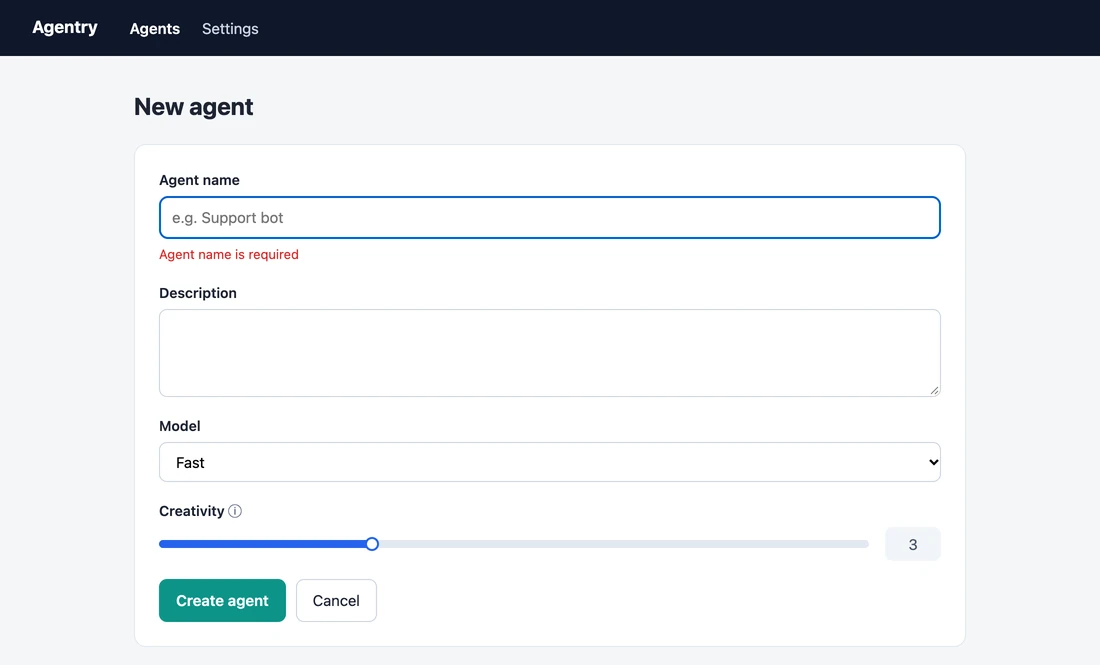
If you need to test that, leave the route out and give people the task instead.
Step 7: Turn replies into a decision
Detailed feedback only helps if you know what to do with it.
Separate the observation from the suggested fix. “I expected Model under Settings” tells you about the reviewer’s mental model. “Move it to Settings” is one possible solution, not automatically the right one.
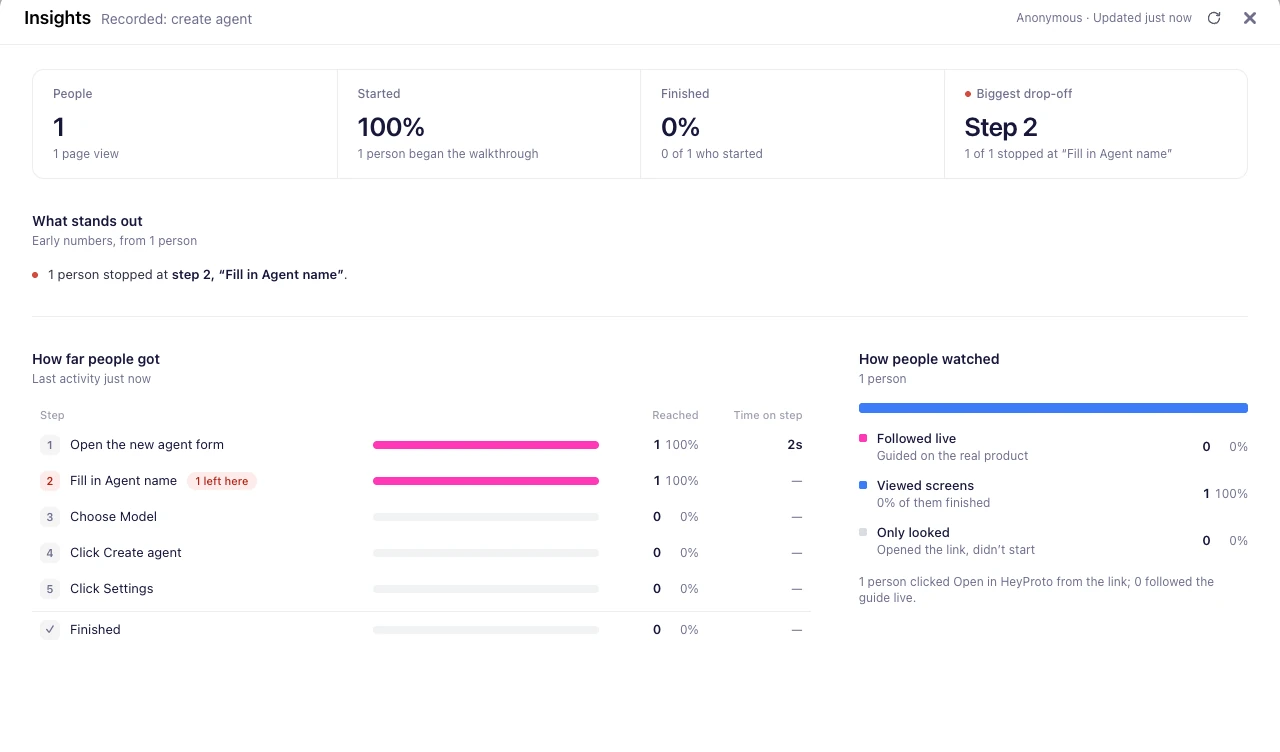
Group responses around the decision you started with. Look for repeated confusion, conflicting expectations and assumptions worth another test. Where people stop matters too. The Insights at the top of this guide come from a single test run of the Agentry walkthrough: the one person who tried it stopped at step 2, Fill in Agent name. That tells you where to look. It doesn’t tell you why they left, so ask.
Then close the loop. Say what you’re changing, what you’re keeping and what you still need to learn, and share the updated walkthrough. The next review then feels like progress, not another round of opinions.
Frequently asked questions
How do I get feedback on a prototype without a meeting?
Share a link people can open on their own, a brief that names one decision, and a few questions about specific moments. A guided walkthrough helps reviewers reach the right screen without you.
What should I ask reviewers?
Ask where they hesitated, what they expected after an action, what was missing when they had to choose, and what they’d change first.
Can I see who finished the walkthrough?
HeyProto Insights shows how often a walkthrough is opened, started and completed, and which steps people reach. It doesn’t identify individual reviewers or collect comments.
Should I guide people in a usability test?
No. Guidance shows people where to click, which hides the problems a usability test is meant to find. Use it for reviews, and give a plain task for tests.