Quick answer
- Pick a case the AI can’t fully answer.
- Say whether responses are saved or live.
- Make the guide wait for the AI’s response.
- Ask reviewers to check the evidence and the human decision.
- Keep interface review separate from model evaluation.
Rohan is building TriageLab, a reply assistant for support teams. An agent opens a ticket, asks for a draft, and the assistant writes a reply based on the shop’s returns policy.
A demo video of a good answer would be easy to make. It would also miss the point. The product isn’t the answer. It’s how an agent checks the answer before a customer sees it, and what happens when the policy doesn’t settle the question.
Rohan wants support leads at two pilot companies to review that part. They’re busy and in different cities, so he shares the working prototype with a guided walkthrough.
Rohan, TriageLab and the customer Meera are a teaching example. The screens are real HeyProto screens, recorded on a small sample prototype built for this article. The ticket, policy and AI draft are sample data.
Pick a ticket the policy doesn’t fully answer
The obvious demo is a ticket the assistant gets right. Rohan picks a harder one on purpose.
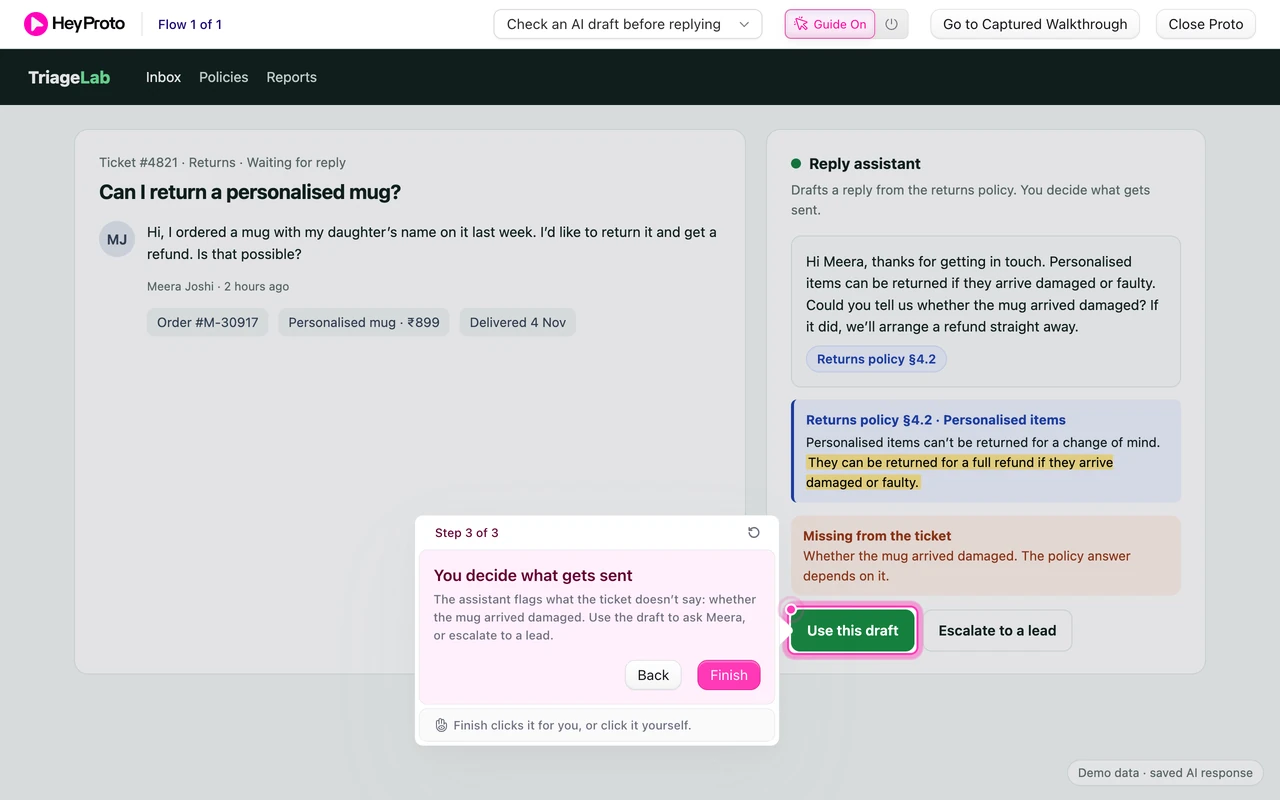
Meera writes: “I ordered a mug with my daughter’s name on it last week. I’d like to return it and get a refund. Is that possible?” The returns policy says personalised items can’t be returned for a change of mind, but they can be if they arrive damaged. Meera doesn’t say which.
That gap is the review. A good assistant shouldn’t guess. It should say what’s missing and let the agent decide.
Say what’s saved and what’s live
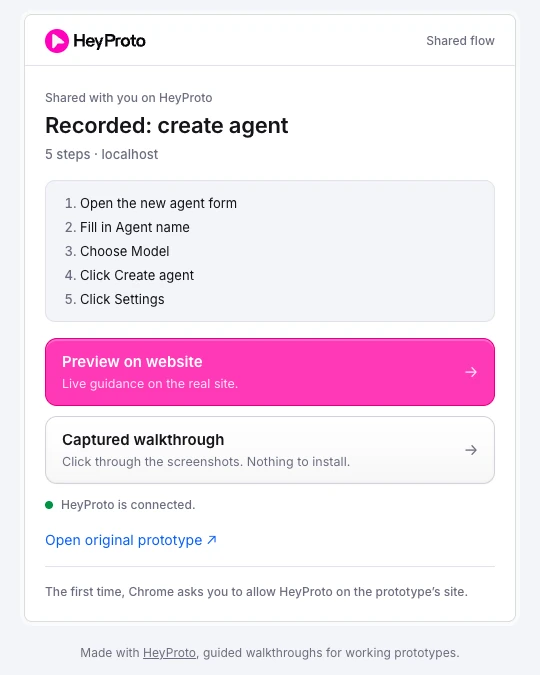
AI demos raise a question other demos don’t: was that a real model call? Rohan answers it before anyone starts, on the walkthrough’s intro card.
The card says what to look at (how an agent checks an AI draft before anything is sent), that the ticket, policy and draft are sample data, that the draft is a saved response, not a live model call, and that the review is about the screen, not the model’s accuracy.
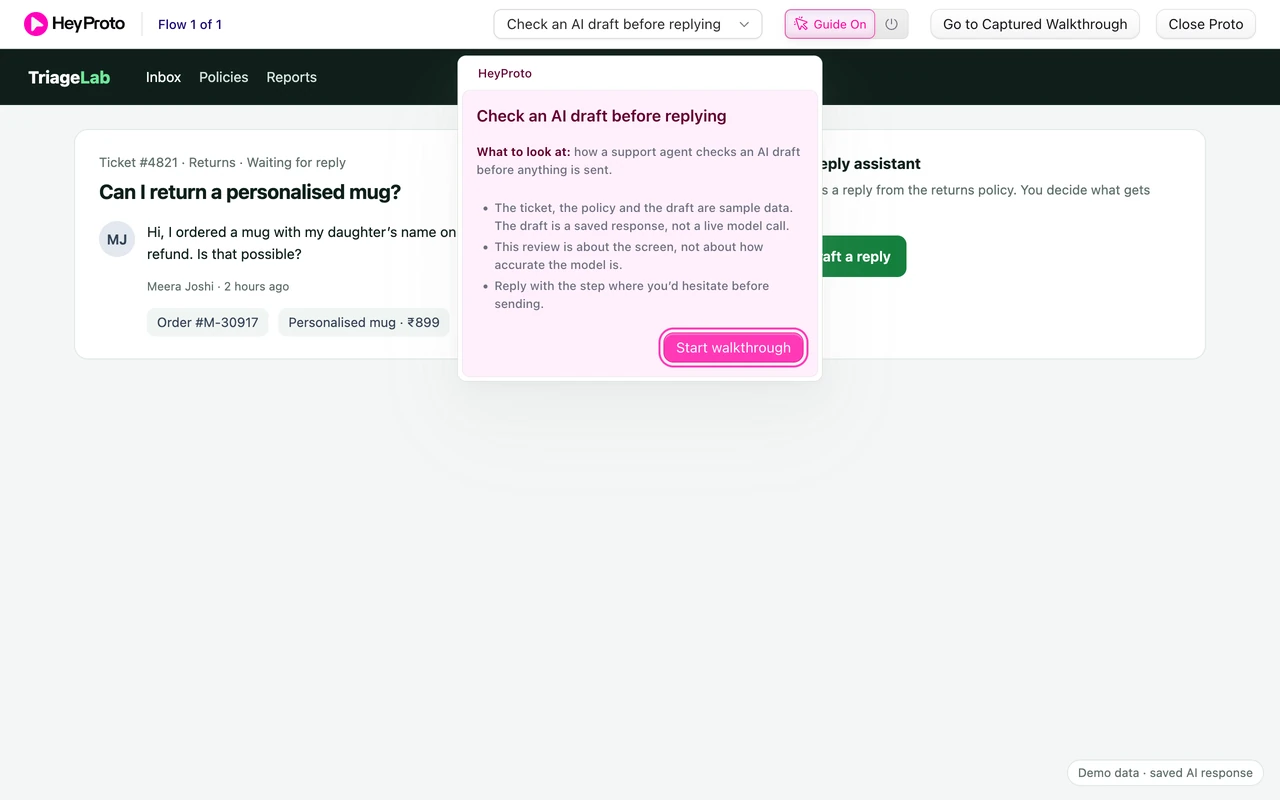
A saved response means every reviewer sees the same draft, so their feedback is about the same thing. If Rohan later connects a live model, he’ll update the card.
Wait for the answer, don’t race it
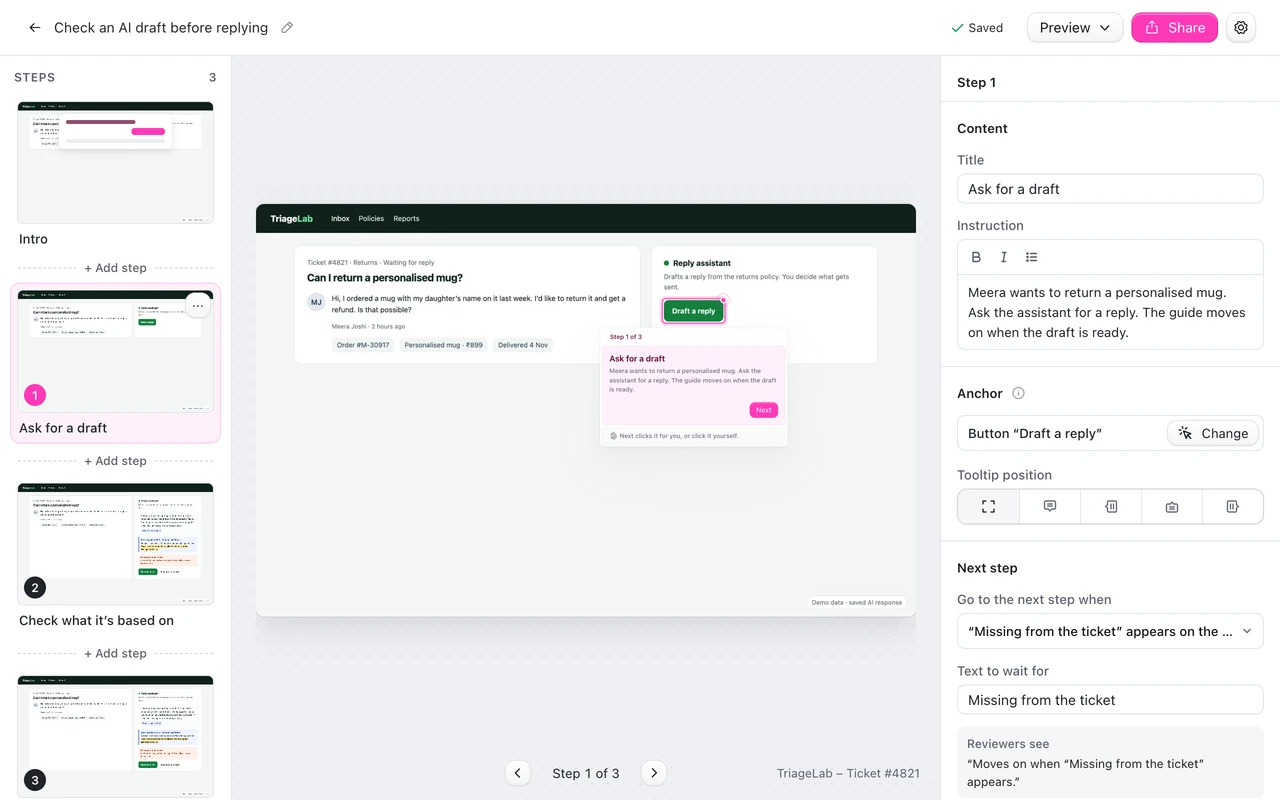
Rohan records the flow with the HeyProto extension: ask for a draft, open the cited policy, use the draft. Then he fixes one thing the recording can’t know.
The draft takes a moment to appear, like a real model would. If step 1 moved on as soon as the reviewer clicked Draft a reply, step 2 would point at a citation that doesn’t exist yet. So in the editor he sets step 1 to move on when the text “Missing from the ticket” appears. Reviewers see “Moves on when ‘Missing from the ticket’ appears.” and the guide waits for the assistant.
Make reviewers check the evidence
The draft cites “Returns policy §4.2”. Step 2 points at that citation and asks: “Open the cited policy. Does the highlighted line support what the draft says?”
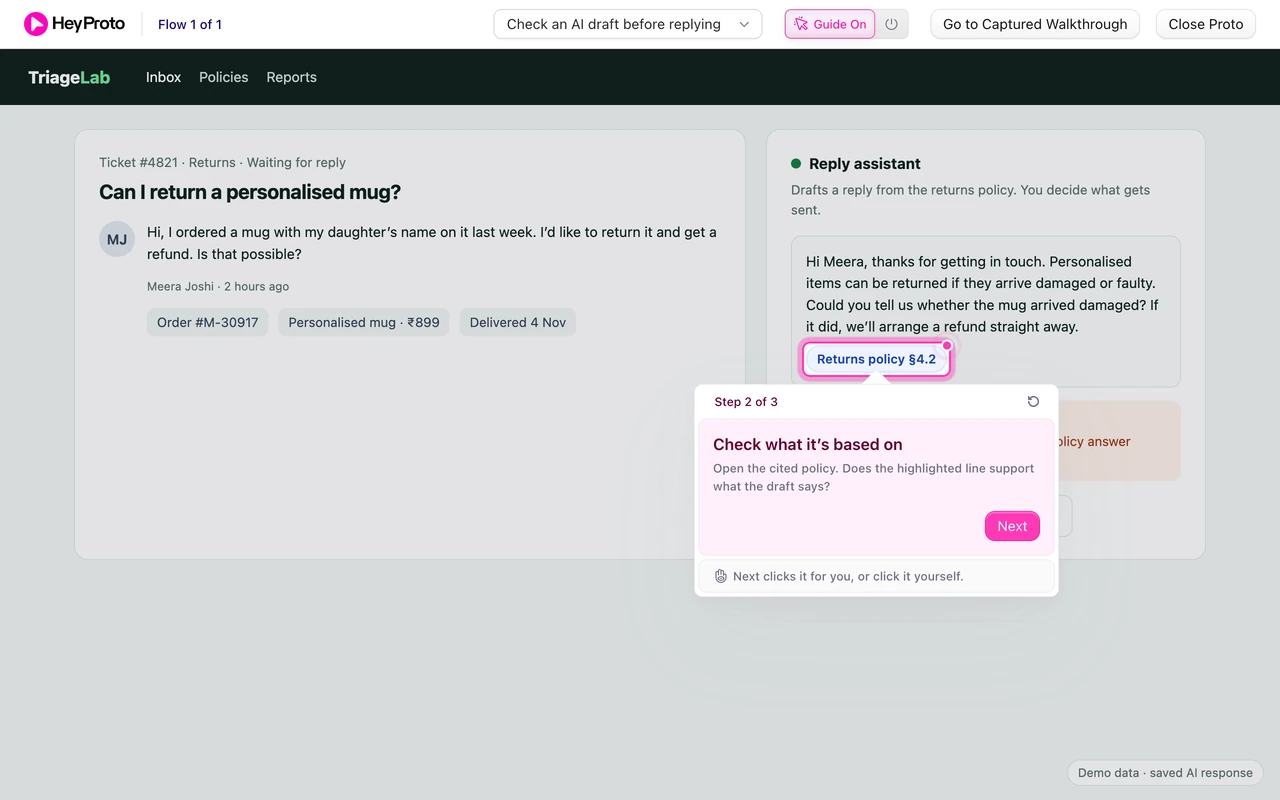
This is the question Rohan most needs answered. If agents won’t click citations, the assistant needs to show the evidence without being asked. If they click and still can’t tell whether the draft follows from the policy, the excerpt is in the wrong form. Either answer changes the design.
Show where the human decides
When the reviewer opens the citation, the policy excerpt appears with the key line highlighted: “They can be returned for a full refund if they arrive damaged or faulty.” Below it, the assistant flags what’s missing: whether the mug arrived damaged.
Step 3 points at Use this draft and says: “The assistant flags what the ticket doesn’t say: whether the mug arrived damaged. Use the draft to ask Meera, or escalate to a lead.” Both buttons are there. The agent stays in charge of what gets sent.
The intro card asked reviewers to reply with the step where they’d hesitate before sending. That’s a concrete question a support lead can answer from experience.
Keep interface review and model evaluation apart
A guided review answers questions like: can agents see the evidence, notice what’s missing, and stay in control? It doesn’t tell you how often the model is right.
That needs a different method: a set of real tickets, expected answers, and measured results. The NIST Generative AI Profile is a useful checklist for that side. Rohan keeps the two separate in his notes, so “reviewers liked the screen” never turns into “the AI is accurate”.
For more on sharing a working app with a brief, read how to share a Lovable prototype. For aligning several teams on one rule, see using a prototype to align stakeholders.
Frequently asked questions
Should an AI prototype demo use a live model?
For an interface review, a saved response is often better: every reviewer sees the same output, so feedback is comparable. Say clearly that it’s saved, and switch to live calls when you’re testing behaviour.
How do I handle the delay while the AI responds?
Make the step wait for the result. In HeyProto, set the step to move on when the response text appears, so the guide doesn’t point at something that isn’t there yet.
Does a good review mean the AI is reliable?
No. It means people understood the screen and stayed in control. Model accuracy needs its own evaluation, with real cases and measured results.