Quick answer
- Turn the rule into journeys: the normal path, the exception and the boundary.
- Record one short flow per branch.
- Give each stakeholder a question they own, inside the step.
- Share all the flows in one link.
- Turn the replies into acceptance criteria.
Kabir is a product manager at ReturnDesk, a refunds tool for online shops. He’s proposing one rule: support agents can refund up to ₹2,000 on their own, and anything above that goes to finance for approval.
Everyone agrees with the rule in the policy doc. Then the questions start. Support asks whether agents will see the limit before they try. Finance wants to know what an approval request contains. Engineering asks what happens at exactly ₹2,000.
Each team is picturing a different screen. Kabir needs them to look at the same one.
Kabir and ReturnDesk are a teaching example. The screens are real HeyProto screens, recorded on a small sample prototype built for this article. The ₹2,000 limit and the refund requests are made up.
Turn the rule into journeys
A rule has branches, and each branch is a journey through the product. Kabir’s rule has three:
- Under the limit. A ₹1,800 cracked bowl. Support refunds it directly.
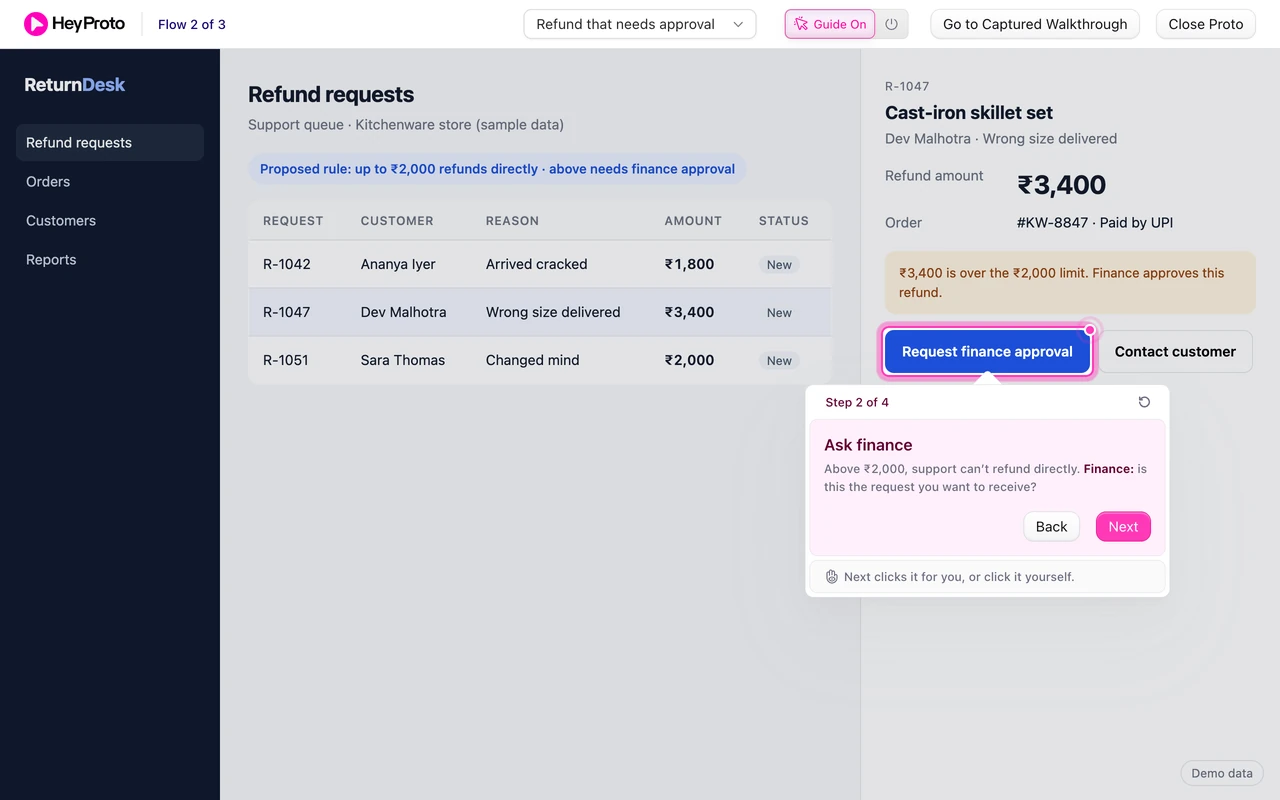
- Over the limit. A ₹3,400 skillet set. Support asks finance, adds a note, and the request waits.
- On the limit. A ₹2,000 knife block. The boundary engineering asked about.
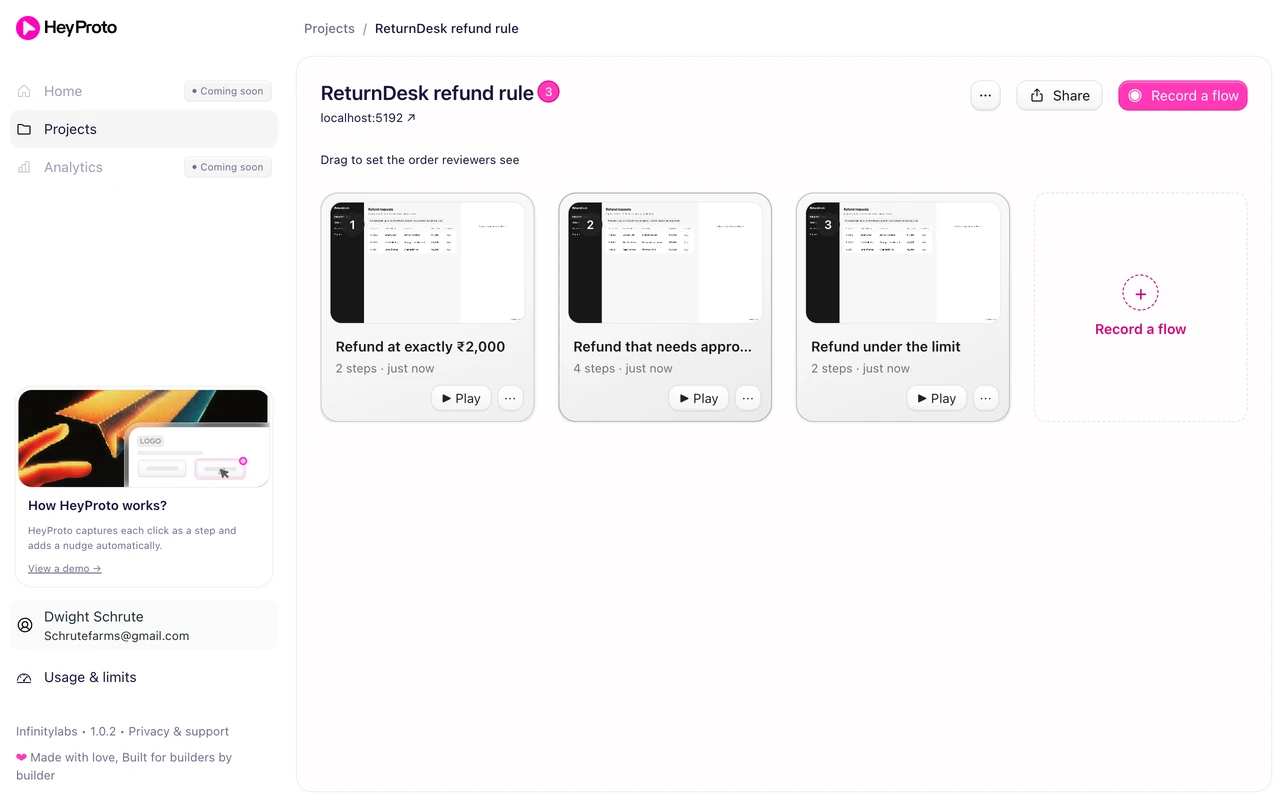
Kabir puts all three in the prototype’s queue as sample requests. Then he records one flow per branch with the HeyProto extension, clicking through each one as an agent would.
The project now holds three short flows, side by side: “Refund under the limit”, “Refund that needs approval” and “Refund at exactly ₹2,000”. Each one is two to four steps. Nobody has to sit through a long demo to reach the part they own.
Give each stakeholder a question they own
“Please review the refund flow” invites everyone to comment on everything. Kabir writes each step’s instruction for the person who owns that moment, and names them in bold.
| Who | Their question | Where they answer it |
|---|---|---|
| Support | Is it clear you’re allowed to refund this? | Under the limit, step 2 |
| Finance | Is this the request you want to receive? | Needs approval, step 2 |
| Finance | What else would you need in the note? | Needs approval, step 3 |
| Engineering | Is “Waiting for finance” the state you’d build? | Needs approval, step 4 |
| Engineering | Is the rule ≤ 2,000, not < 2,000? | At the limit, step 2 |
This is the core of stakeholder analysis done in miniature: work out who cares about what, and ask them about that.
Show the exception, not only the happy path
Most product demos show the path where everything works. Kabir’s review is really about the other path.
In the approval flow, the reviewer opens R-1047. The prototype shows ₹3,400, a note that says “₹3,400 is over the ₹2,000 limit. Finance approves this refund.”, and a Request finance approval button where Refund would normally be. The guide’s step 2 asks: “Above ₹2,000, support can’t refund directly. Finance: is this the request you want to receive?”
Finance doesn’t have to imagine the screen from a spec. They see exactly what an agent sees at the moment the rule kicks in.
Make the boundary visible
Boundaries are where specs go wrong. “Up to ₹2,000” reads clearly in a doc, but it’s easy to build as “under ₹2,000”.
So Kabir gives the boundary its own flow. R-1051 is exactly ₹2,000. The prototype shows “₹2,000 is within the ₹2,000 limit. You can refund this now.” and a Refund ₹2,000 button. The step asks engineering to confirm the rule is ≤ 2,000, not < 2,000.
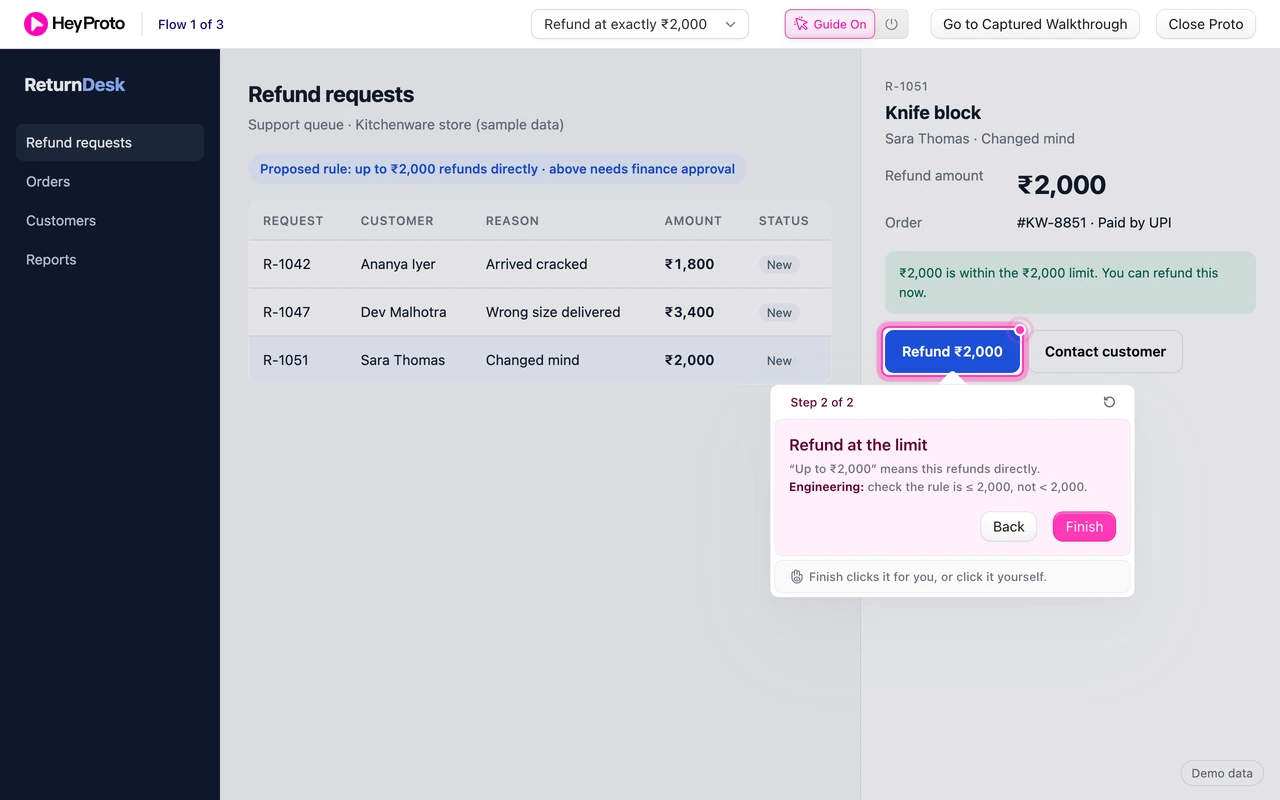
If the engineer replies “we’d have built it as less than”, that’s a bug caught before a line of code was written.
Share all three flows in one link
Kabir shares the whole project instead of three separate links. From the project page, Share opens the project’s share sheet. He picks the three flows, creates one link and posts it in the decision thread.
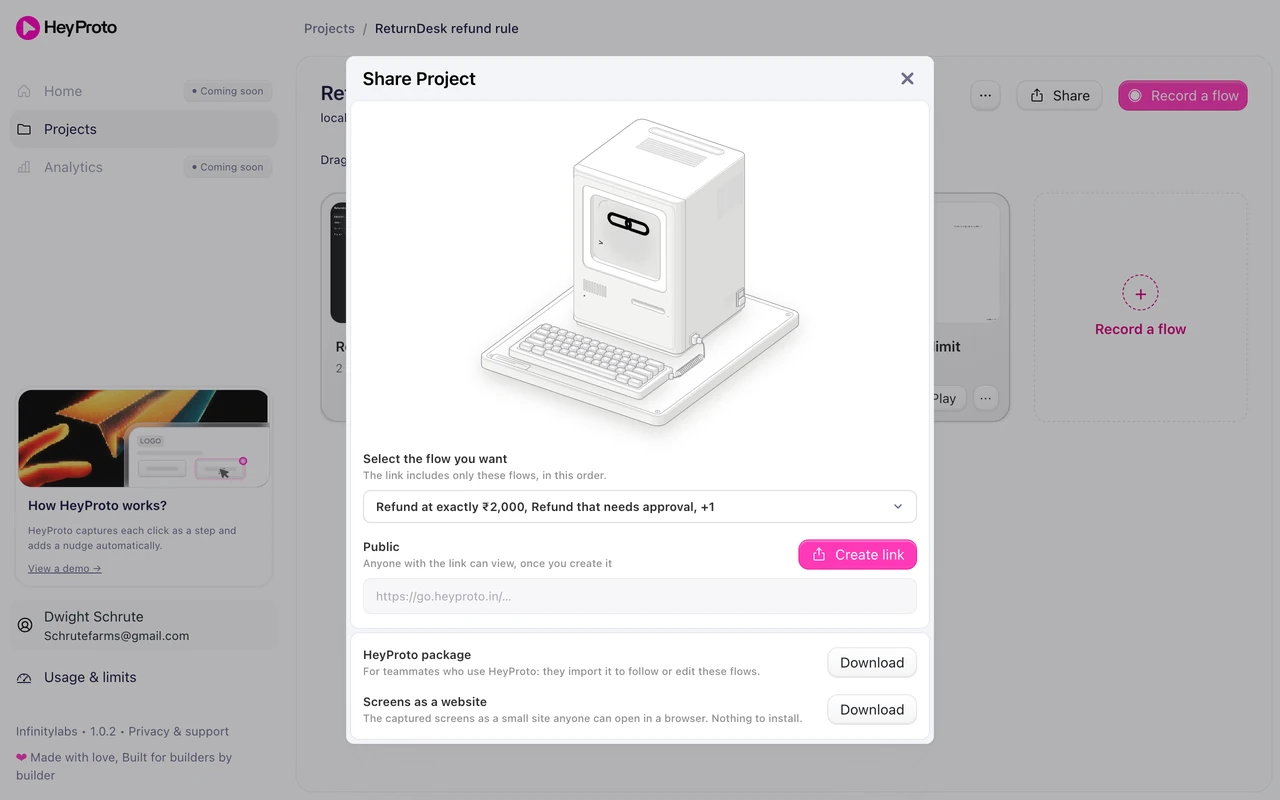
Reviewers who have the HeyProto extension open the prototype with the guide and switch between flows from its menu. Anyone without it can open the captured screens in any browser. For the details on links, see how to share a Lovable prototype.
His message is short:
Refund rule review: please reply by Friday.
Rule: support refunds up to ₹2,000; above that, finance approves.
Link: three short flows (under, over, exactly ₹2,000). About 3 minutes.
Each step names who it's for. Answer the steps with your team's name.
Out of scope: refund timing and customer emails.
Write the decision down
Replies come back in the thread, each tied to a step. Kabir turns the agreed answers into acceptance criteria engineering can test:
- A refund of ₹2,000 or less shows Refund and completes without approval.
- A refund above ₹2,000 shows Request finance approval instead of Refund.
- An approval request needs a note before it can be sent.
- A sent request shows “Waiting for finance” in the queue.
The prototype made the rule visible. The decision record makes it buildable. A walkthrough that everyone completed doesn’t mean everyone agreed; only an explicit reply does.
For more on asking for feedback that leads to a decision, read how to get useful prototype feedback.
Frequently asked questions
Why three flows instead of one long one?
Each flow shows one branch of the rule, so each stakeholder can go straight to the one they own. Short flows also make it obvious which case a reply is about.
Does the prototype need real data?
No, but it needs believable data. Sample requests at ₹1,800, ₹3,400 and exactly ₹2,000 let people check each branch of the rule without access to production systems.
Can stakeholders comment inside HeyProto?
Not yet. Collect replies where your team already decides things, like a Slack thread or a decision doc, and tie each reply to a step name.